$139/yr
Speechify Premium
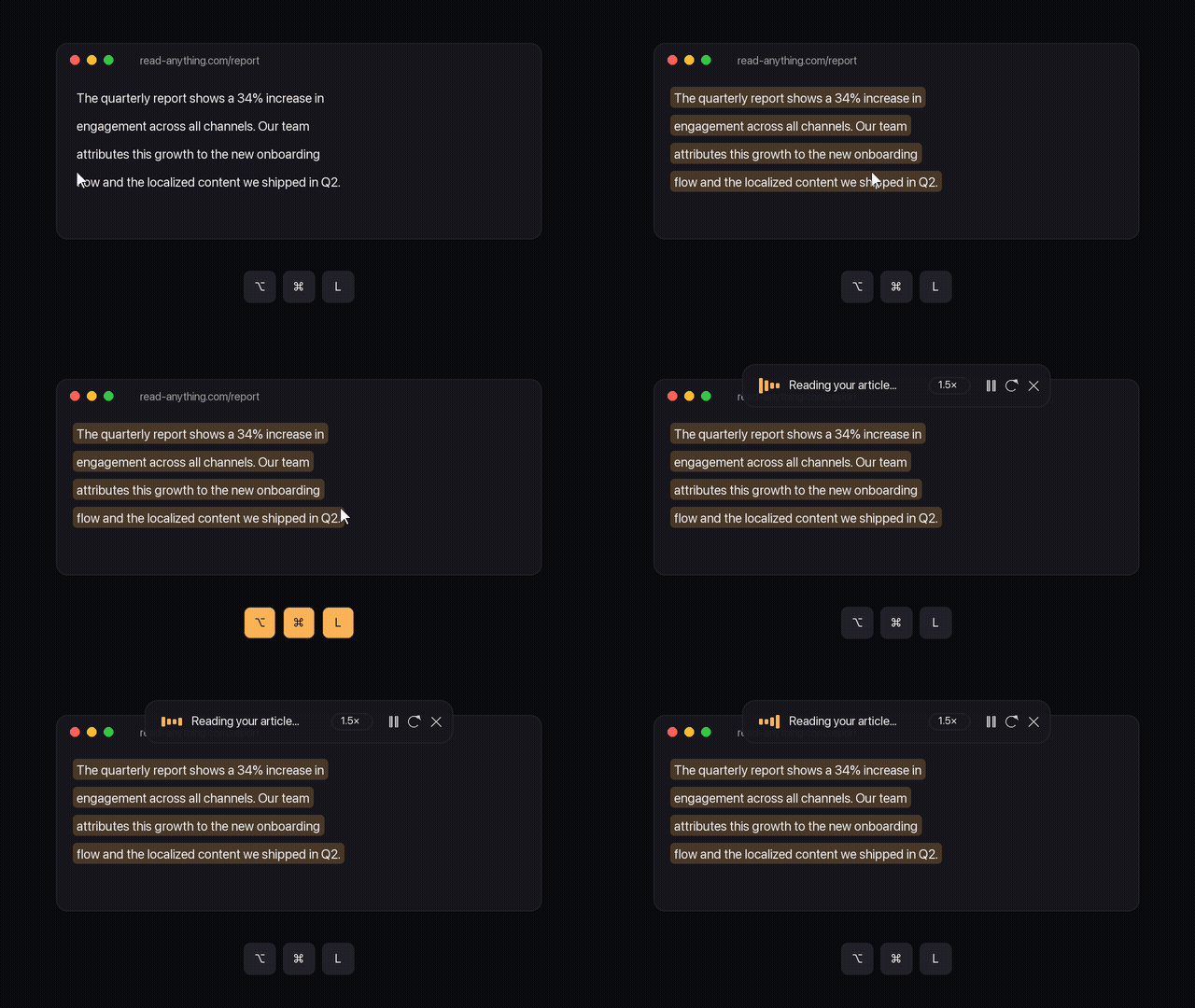
Select text in any app — browser, PDF, mail, terminal — press ⌥⌘L, and a natural voice reads it aloud. Free, open source, 100% local. No cloud, no account, no subscription.
curl -fsSL https://raw.githubusercontent.com/EloiGils/outloud/main/install.sh | bash
macOS + Homebrew · or
clone it from GitHub and run ./install.sh
Built because reading long text on a screen is hard for a lot of us — and the good tools were locked behind subscriptions.
A resident daemon keeps the AI voice model warm and synthesizes sentence-by-sentence. Long article? Same instant start.
One global hotkey. Browser, PDFs, Slack, terminals — including apps that block synthetic keystrokes.
50+ voices from Kokoro-82M: English, Spanish, French, Italian, Portuguese, Hindi, Japanese, Chinese.
Change speed mid-sentence with pitch correction. Pause freezes on the exact word — not "mute and drift".
Every reading saved with cached audio. Re-listen instantly from the menu bar or the Spotlight-style search (⌥⌘H).
Your text never leaves your Mac. No accounts, no telemetry, no network calls. MIT licensed — read the code.
Plus a 🔊 menu bar icon for history, voices and speed — and a floating HUD with controls while it reads.
Really free, MIT licensed, no catch. It runs an open-source AI voice model (Kokoro-82M) on your own Mac, so there are no server costs to pass on to you.
No. Synthesis happens on your machine. The only network access is downloading the voice model once at install time.
macOS with Homebrew. The installer sets up the rest: a private Python environment with the model (~2 GB), the mpv audio engine, and the Hammerspoon UI layer. Apple Silicon recommended.
Three tricks: the model stays warm in a resident daemon, text is synthesized sentence-by-sentence streaming into the player, and the first chunk is cut extra short so audio starts while the rest is still generating. Details in the docs.
Yes: outloud "text", cat file.md | outloud,
outloud --history, outloud --last. Full CLI reference in the
docs.
Run ./uninstall.sh from the repo. It removes everything except your
reading history folder, which it tells you how to delete too.